More history on Charts, Effort Spots and Route Map
No 90 day cut-off on activity selection
Three of the Navigator pages - Charts, Effort Spots and Route Map - work on one or two activities at a time: you pick an activity from a list and Crickles charts your chosen metric, draws its effort spots (the scatter of heart rate against power for a ride) or plots its route coloured by heart rate zone. Until this week those lists only went back 90 days, and on Route Map and Effort Spots they were cut shorter still, to the most recent 50 and 100 activities respectively, even though the older activities had been imported and could be seen on the Dashboard and Sustainable pages.
All three pages now reach back to access the full history that Crickles has read from intervals.icu, which typically extends back to the start of 2025.
The Month control
This makes for a long list: someone who trains most days will have hundreds of activities in that timeframe. On a phone, where a dropdown list is a scrolling wheel, a list of that length would be close to unusable, so all three pages now carry the Month control that Charts already had.
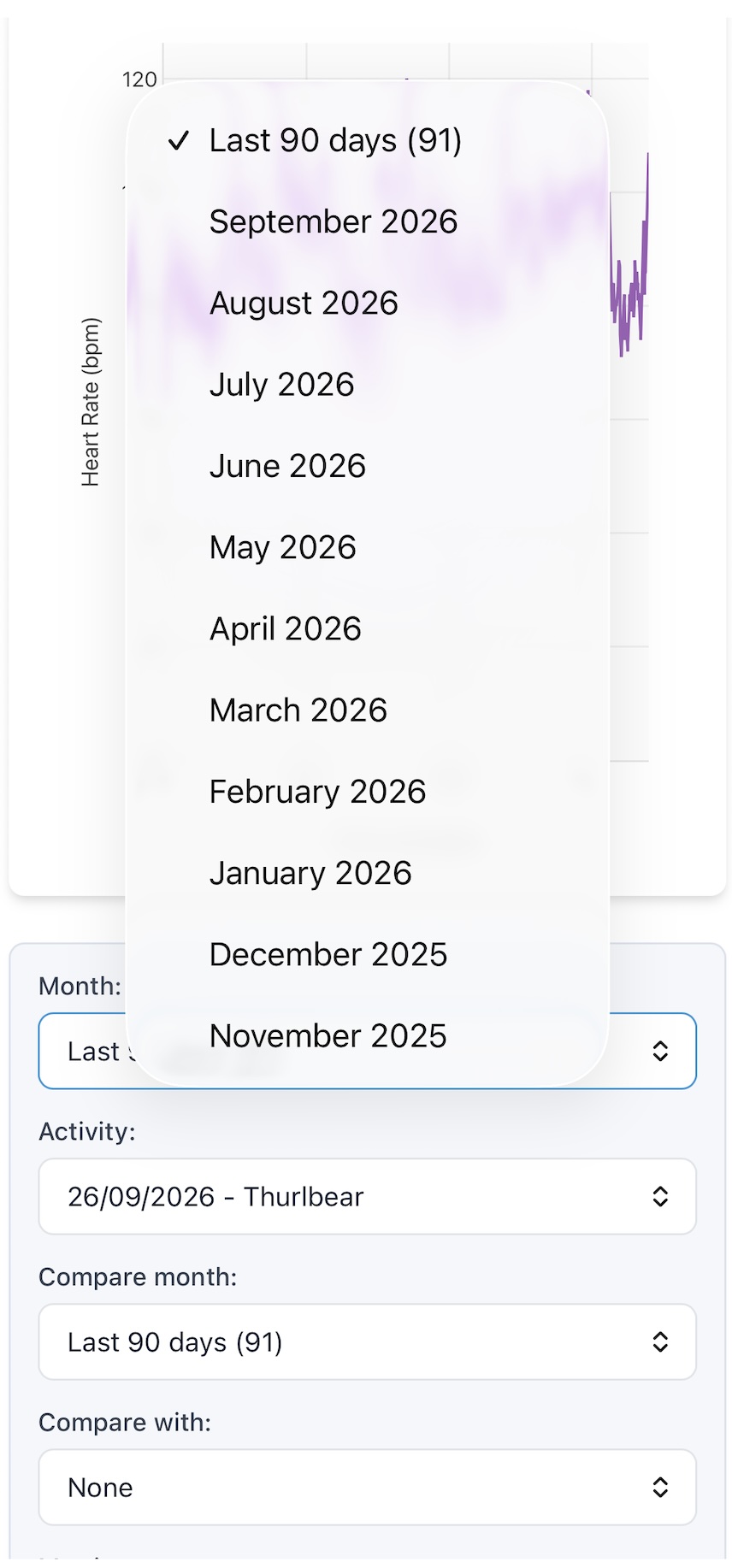
By default Month is set to Last 90 days, with the number of activities shown in brackets, so what you see when you first open a page is much the same as before. To reach an older activity, choose its month from the Month list and the Activity list will then show only the activities from that month - typically thirty or so for someone who trains daily. Choosing a month also selects the most recent activity in it, and if a month contains no activities that can be shown on the page, the page says so rather than leaving the previous activity on display.
If you’re hunting for a particular activity you can find which month it was in by using the search box on the Dashboard.
Comparing across months
On Charts you can overlay a second activity on the first, and on Effort Spots you can show a reference ride behind the one you’re looking at. Each of these now has its own month control, labelled Compare month on Charts and Reference month on Effort Spots, so that you can set, say, a hill climb from last March against the same climb this September without scrolling through the six months in between. Each list stays short because each follows its own month.
As ever, do get in touch if you have any questions or suggestions.
Ian